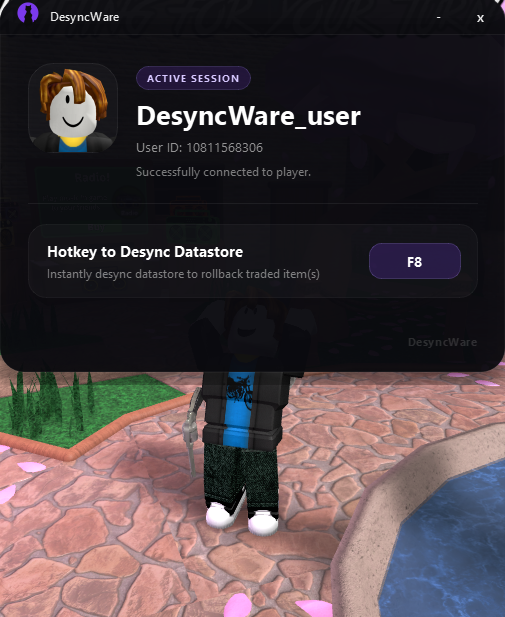
Network Manipulation
Blocks network on running roblox processes to desync the client.
An advanced Windows application designed to rollback (dupe) traded items in Roblox Murder Mystery 2 by leveraging desynchronization techniques between the client and datastore. This is achieved through controlled network behavior, memory manipulation, and session rejoin handling.

DesyncWare features
Blocks network on running roblox processes to desync the client.
Closes and deletes specific memory strings and handles, ensuring desynchronization
Saving the previous client (before trade) to Datastore, ensuring a rollback on traded item(s)
Perfect spot for low-latency behavior, live updates, or anything that feels responsive and sharp.
Includes an automated hotkey feature that allows users to initiate the dupe instantly once the Roblox player is connected to DesyncWare. Simply press F8 to begin, ensuring a streamlined and user-friendly experience.
Built with a non-invasive design, DesyncWare does NOT modify or inject code into the Roblox client. All processes are performed externally, helping preserve system and application stability.
How to install DesyncWare.
Download DesyncWare and open the application once you are already in a Roblox Murder Mystery 2 game session.
Wait for DesyncWare to connect to your active Roblox account, then proceed to trade your weapons to your alt account (alt should be running on another device or Emulator)
Once trade is completed, press F8. Wait for Roblox to be fully terminated and rejoin manually Murder Mystery 2. Traded weapon(s) should be rollbacked into your account.
Get started with the free version of DesyncWare.
Unlock the full DesyncWare experience for $60/month.
v1.0.7 version
Windows 10/11
Public Build